


In this blog, we’re exploring Artillery, a powerful tool for load and performance testing. We’ve previously covered tools like Cypress, Playwright, and JMeter on our YouTube channel (check the playlist links in our video descriptions). Artillery stands out because it integrates seamlessly with Playwright, allowing you to repurpose your end-to-end automation tests for load testing. Let’s get started without further ado.
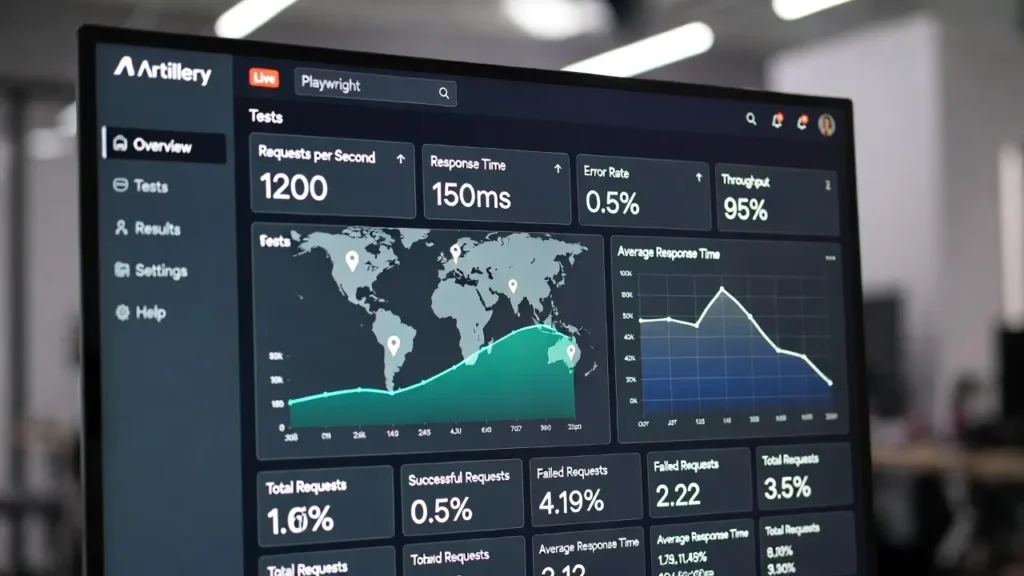


What Will You Read in This Blog
This blog is structured to guide you from basics to practical application, making it easy for beginners and experienced testers alike. Here’s a quick overview:
- Introduction to Artillery: What it is, why it’s useful, and how it fits into your testing workflow.
- Installation Guide: Step-by-step on setting up Artillery using NPM, with verification tips.
- Running Your First Test: Creating a YAML config, understanding phases and scenarios, and executing API load tests.
- Dashboard and Insights: Using Artillery’s web UI for real-time monitoring and metrics analysis.
- Integration and Next Steps: Teasing Playwright integration and advanced features.
By the end, you’ll be equipped to start load testing your APIs or web apps confidently.
What is Artillery?
Artillery is an open-source tool designed for load testing and performance testing of software applications. As highlighted on their official website (artillery.io), it’s particularly versatile, supporting integrations with tools like AWS, Octa, and notably, Playwright. If you’ve written end-to-end tests in Playwright for automation, you can directly leverage them for load testing with Artillery—saving time and ensuring comprehensive coverage.
Unlike JMeter, which we’ve covered in our basic and advanced playlists, Artillery emphasizes simplicity and scalability. It’s ideal for simulating user traffic on APIs or web apps, helping identify bottlenecks under stress. Whether you’re testing endpoints or mimicking user behaviors, Artillery provides actionable insights without overwhelming complexity.
Installing Artillery
Getting started is straightforward. We’ll focus on NPM installation, as it’s widely used, but options like PNPM, Yarn, or Bun are available in the official docs.
- Run the Installation Command: Open your terminal and execute
npm install -g artillery. The-gflag installs it globally, so you can run artillery commands directly without prefixing npx. If you encounter permission issues, omit-gand usenpx artilleryfor commands. - Verify Installation: After installation, check for the
node_modulesfolder. Then, runnpx artillery --versionto confirm the version (e.g., the latest as of 2026). For a quick functionality test, usenpx artillery dino. This runs a built-in sample test, simulating virtual users and verifying core features. If you see metrics like response times and no errors, you’re set.
We’ve prepared a GitHub repository with a README covering these steps—link in the description below. All references are from Artillery’s official setup guide to ensure accuracy.
Running Your First Test
Now, let’s create and run a simple load test on APIs. Artillery supports YAML or TypeScript formats; we’ll use YAML for this intro.
Create a file named first-test.yml with two main sections: config and scenarios.
Config Section
Defines the target URL (e.g., target: "https://artillery.io"), phases for load generation, and plugins for metrics.
Phases: Simulate real-world traffic patterns
- Warm-up: Duration 60 seconds, ramp from 1 to 5 virtual users per second.
- Ramp-up: Duration 60 seconds, ramp from 5 to 10 users per second.
- Spike: Duration 30 seconds, ramp from 10 to 30 users per second.
Plugins
Use ensure for thresholds (e.g., p99 response time ≤ 100ms), apdex for user satisfaction index, and metrics-by-endpoint for categorized data.
Scenarios Section
Outlines what virtual users do. For example, loop through GET requests to endpoints like /dino, /pony, and /armadillo 100 times.
Here’s a sample YAML snippet (copied from official docs for illustration):
config:
  target: "https://artillery.io"
  phases:
    - duration: 60
      arrivalRate: 1
      rampTo: 5
      name: Warm up
    - duration: 60
      arrivalRate: 5
      rampTo: 10
      name: Ramp up load
    - duration: 30
      arrivalRate: 10
      rampTo: 30
      name: Spike phase
  plugins:
    ensure: {}
    apdex: {}
    metrics-by-endpoint: {}
scenarios:
  - flow:
    - loop:
      - get:
          url: "/dino"
      - get:
          url: "/pony"
      - get:
          url: "/armadillo"
      count: 100
To run: npx artillery run first-test.yml. For terminal output only, or add --record with your API key for dashboard integration.
Watch it in action:
Dashboard and Metrics Analysis
Artillery’s web UI (dashboard.artillery.io) elevates testing with live visuals. Sign up, grab your API key, and run: npx artillery run --record --key YOUR_API_KEY first-test.yml.
Watch real-time graphs form: response times, HTTP codes, errors, and more. In our demo, we adjusted thresholds—p99 to 150ms and p95 to 100ms—to pass checks. The Apdex score was 49 (terrible), with 99.9% requests tolerated, indicating room for optimization.
Metrics are endpoint-specific, showing satisfied/tolerated/frustrated requests. Share dashboards with teams, add comments, and filter by metrics like latency or throughput. No errors in our run, but failed checks highlight performance issues.
Integration with Playwright and Beyond
Artillery shines in integration. Reuse Playwright scripts to simulate browser-based user behaviors for web app testing—covered in upcoming videos and blogs. Explore advanced plugins and TypeScript configs for complex scenarios.
Wrapping Up
Artillery is a game-changer for load testing, blending ease with power. From quick API tests to integrated workflows, it’s essential for 2026’s fast-paced development.
Resources
GitHub – https://github.com/HenilMistry/ArtilleryYtLearning